Install

Install xDrip
⌁
This video installation process is a little old now and the video really needs to be updated, which I will do as soon as I get time to.
But for now, it’s still a good help for you to set up with xdrip+ onto your mobile. Just turn off the music if it’s not to your tastes :-)
You do not need to have Nightscout installed for xdrip+ to work as mentioned in the video!
You can get your reading from your CGM direct from within xdrip+.
Install Xdrip+⌁
After you have installed Your Apk and xdrip+ its time to install a few other options within xdrip.
Authorize background activity
⌁
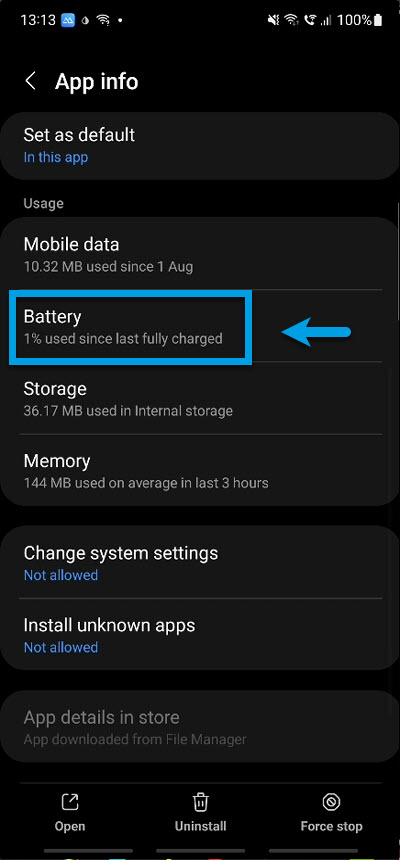
xDrip+ must have the right to be used in the background, and it must be white-listed for battery optimization.
This is necessary for the correct functioning of xdrip+.
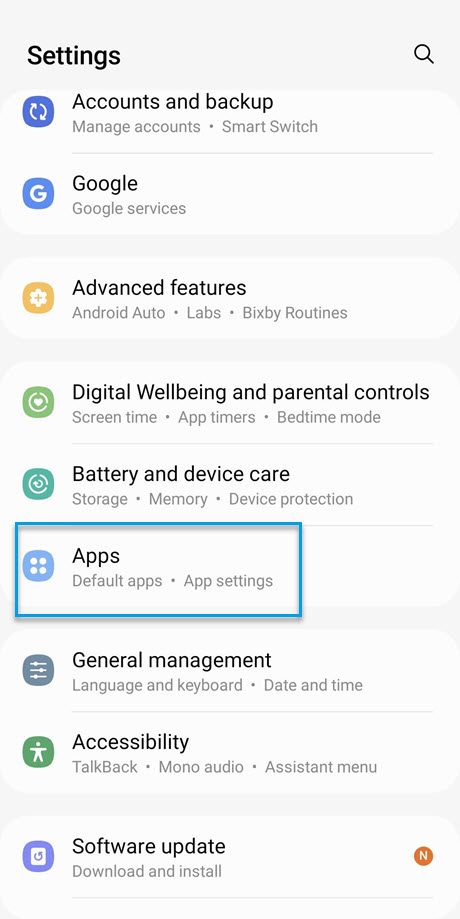
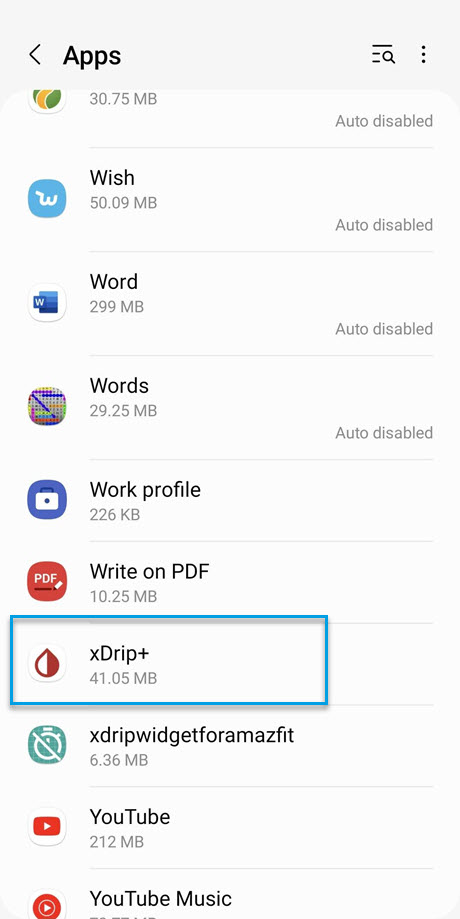
It should ask you to allow these authorizations. If it doesn't or you need to look this up later, check it in your phone settings Settings - Apps - xDrip+. Consult your mobile documents as they will vary on Android software version and manufacturers.
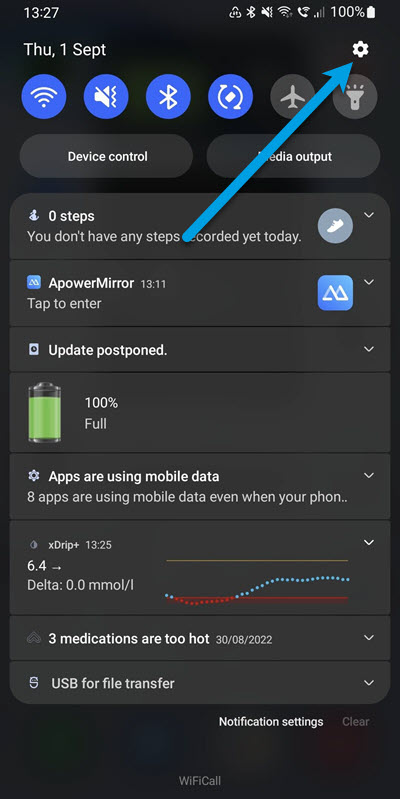
For me on a Samsung I swiped down and click on the gear icon to get to my settings.
APPS/xDrip+/Battery
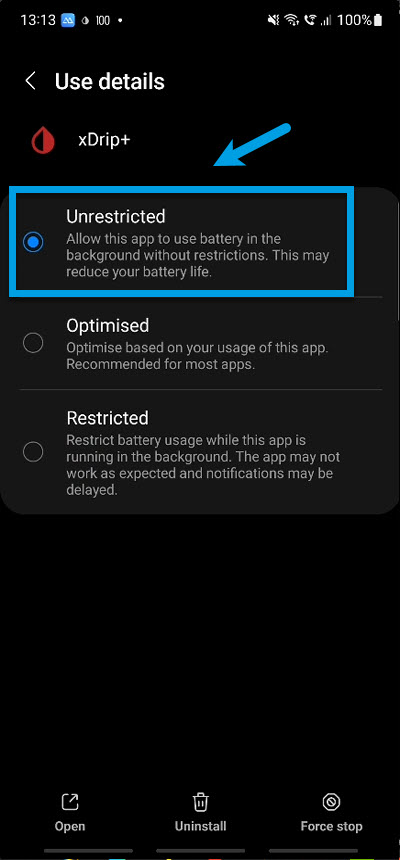
Making sure xDrip+ will not be put in to sleep mode and enabled permissions
⌁
Make sure these settings are checked, but still make sure they are exactly like shown below.
Every time your Mobile updates or you re-install, check again: disable and enable checkboxes that should be enabled to enforce the settings.
Go to
/ Settings / Less Common Settings / Other misc options
And make sure these are selected!
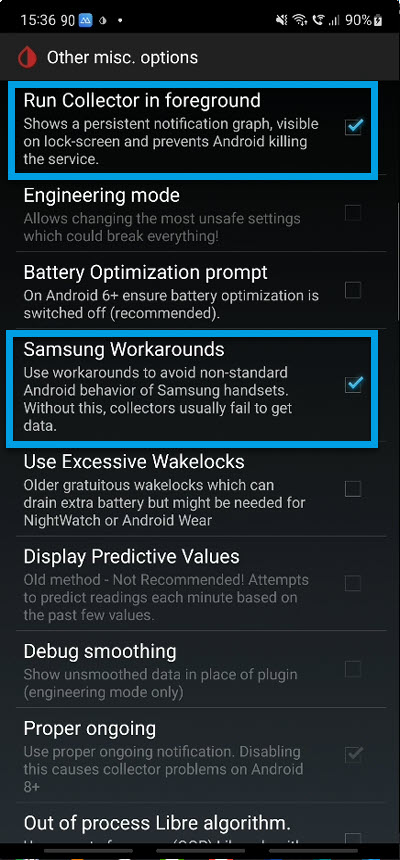
Enable location & other XDRIP+ Permissions
⌁
From Android versions (6 Marshmallow (and above), location is required to allow Bluetooth Low Energy connection.
If you will be using xDrip+ with a Bluetooth sensor or bridge you must enable location and allow xDrip+ to access it. See your mobiles instructions as it will depend on Android version and manufacturer in my case I’m using a Samsung Note10+
See My video on all the permissions I have allowed Xdrip+ too have on my mobile.